Better Studio 3.16 Release notes
3.16.0 (26.5.2026)
With Studio 3.16, we are delivering capabilities that have been a standing ask from our users: Terminology management inside Studio, and ETL that handles more source types automatically.
Better Studio 3.16.0 is compatible with Form renderer version 3.16.0.
Table of Content:
Studio
Terminology editor
Managing clinical terminology has historically meant stepping outside Studio entirely. To address this, Better Studio 3.16 introduces Terminology editor, a new FHIR-based Studio-level tool for managing clinical terminology resources.
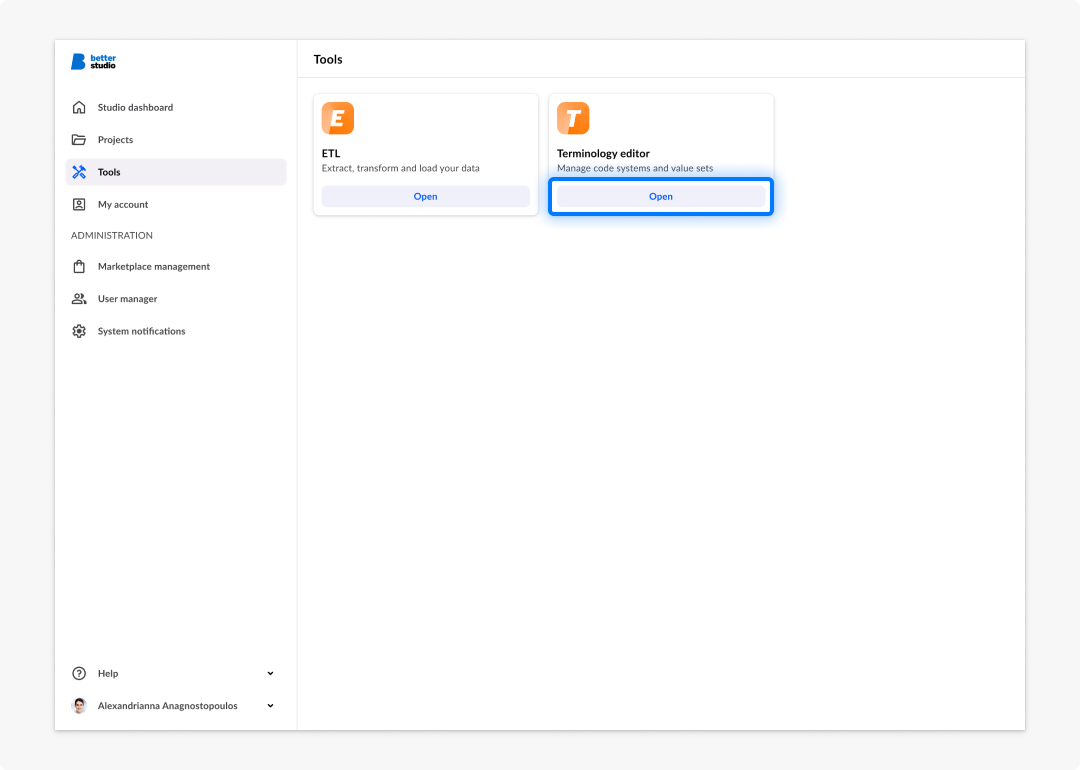
Terminology editor is designed to enable terminology authors, clinical informaticians, and implementation teams to create, curate, and maintain code systems and value sets, without relying on external terminology tooling. By bringing terminology management into Studio, teams can improve consistency, governance, and reuse across implementations.
With Studio 3.16, we now provide comprehensive support for structured terminology management, including:
- Concept authoring and hierarchy management
- Reusable concept properties and metadata
- Multilingual designations and displays
- Rule-based and manually curated Value set composition
- Hierarchy-aware filtering and expansion preview
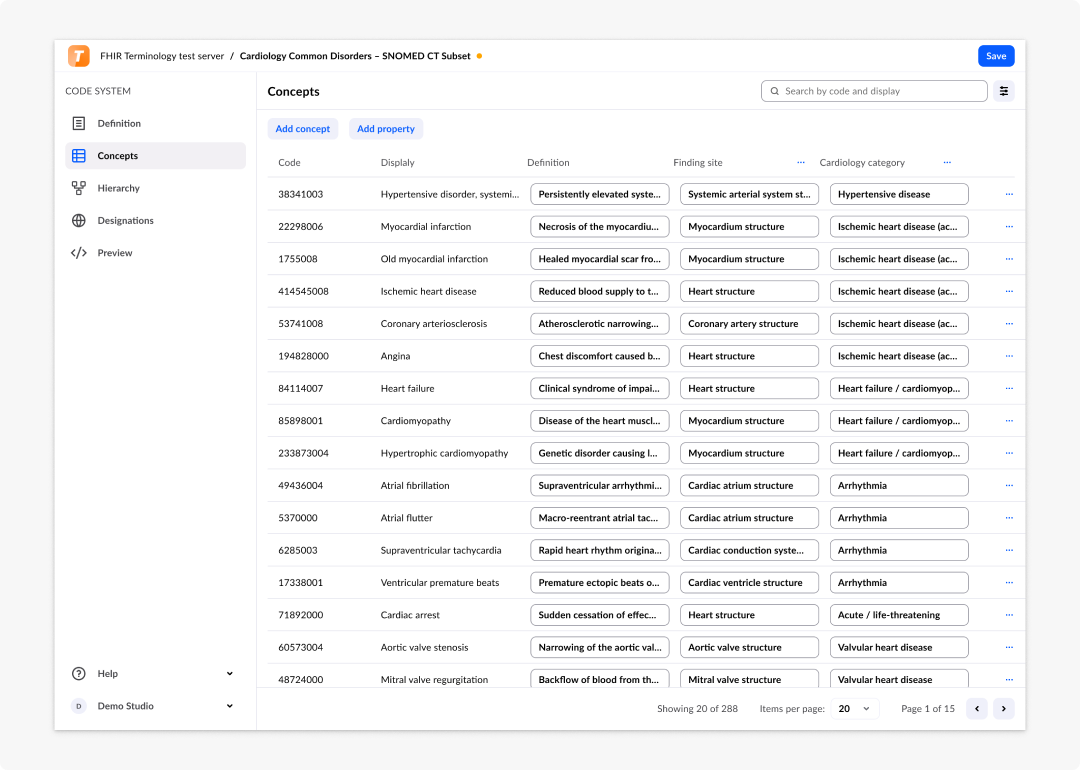
The Value set composition workflow combines rule-based logic with manual inline curation, giving teams precise control over terminology selection and governance, while remaining fully aligned with FHIR terminology resources.
More information about Terminology editor can be found in our documentation.
ETL improvements: HFQL editor and AQL nested results
With Studio 3.15, we’ve launched ETL (extract, transform, load) with the objective to support data pipeline configurations directly in Studio. The 3.16 release adds two improvements to the ETL module.
HFQL editor
Jobs with a Better Demographics Server source connection can now be created and configured in ETL. The HFQL editor is embedded in the job configuration flow in the same position as the AQL input editor. You can now write the query definition, run it to check the results, and confirm to proceed to mapping. The response panel supports flat-structure results with detailed and raw views.
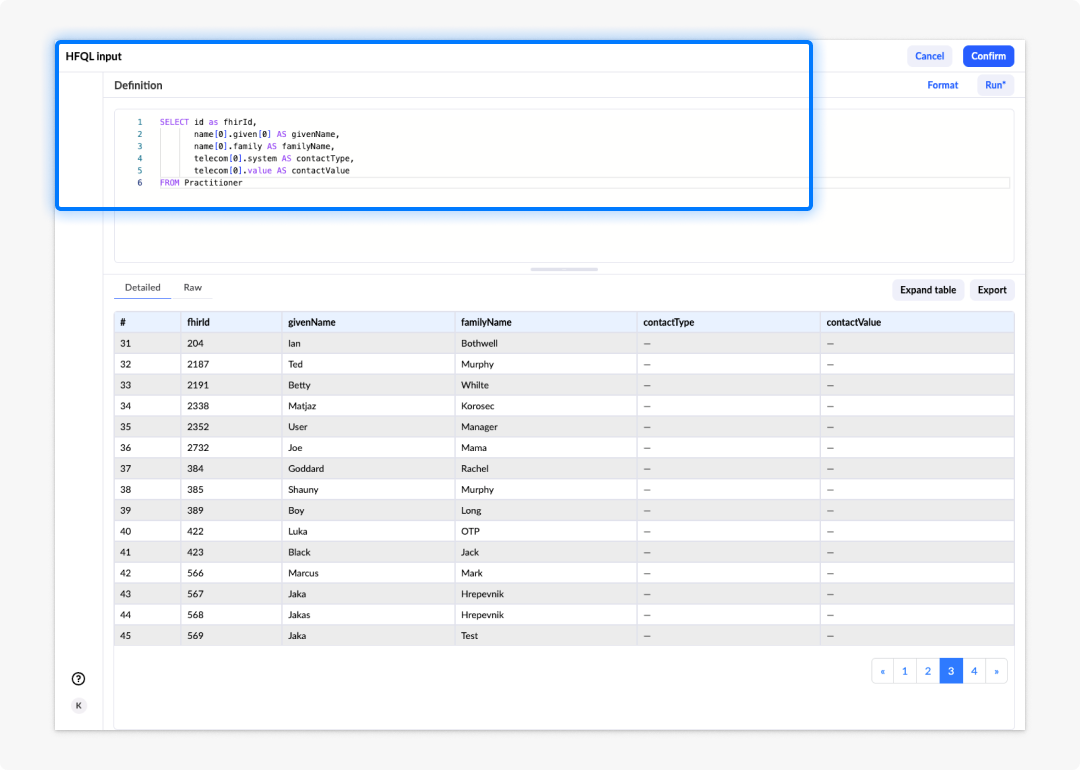
Error messages and parameter handling are consistent with the AQL flow, so the experience is familiar if you have already configured AQL jobs. This completes support for both available source connection types like EHR Server (AQL) and Demographics Server (HFQL).
AQL nested results
OpenEHR stores clinical measurements as structured data value types rather than plain scalar values. The mapping step now automatically generates a column for each sub-field for all standard openEHR data value types. No manual aliasing of sub-fields is required.
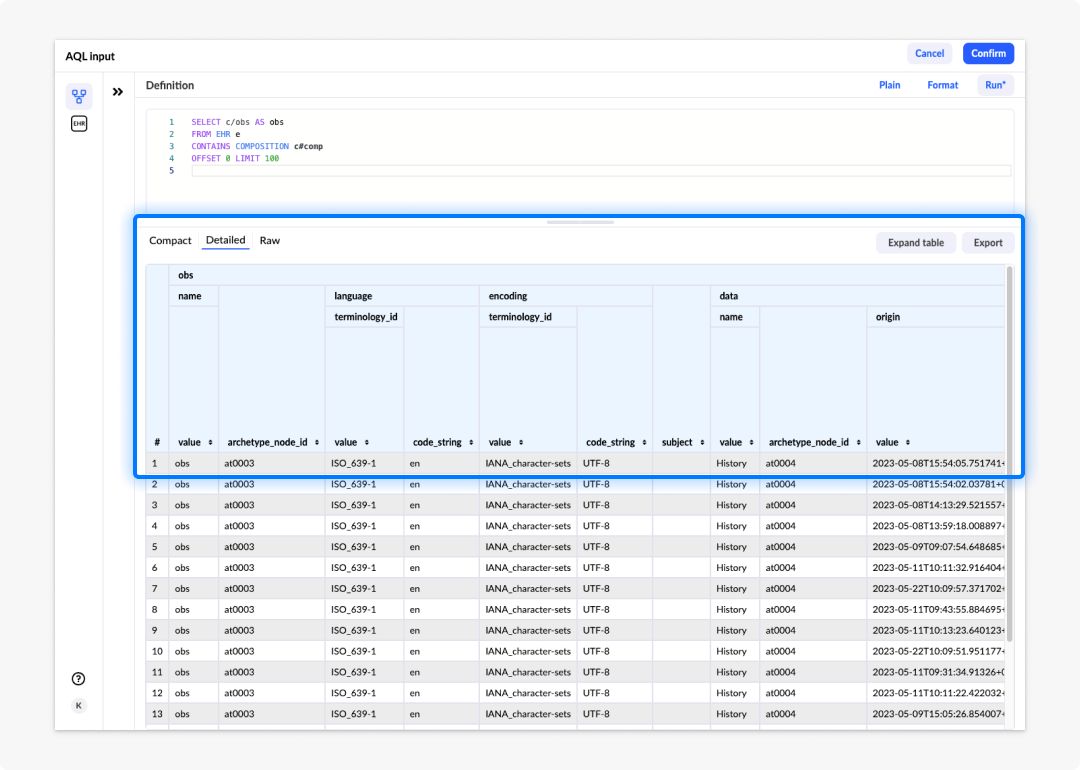
For more information about ETL, check our documentation.
Bug fixes and improvements
The following fixes and improvements ship with Studio 3.16.0:
Studio
- Overall better navigation filtering capacity.
- Import icon changed.
Form builder
- Hidden select field now showing values from a data connector.
3.16.1 (28.05.2026)
Compatible with Form Renderer version 3.16.1
Bug Fixes & Improvements
Studio
- Fixed issue where label was not properly added to the project
- Fixed issue with form name truncation in content tab
Terminology editor
- Allow colon as delimiter in code system name
Form-renderer
- Suppressed
@charsetdeclaration in the renderer stylesheet build to keep the compiled CSS safe for concatenation and inlining.
3.16.2 (04.06.2026)
Compatible with Form Renderer version 3.16.2
Bug Fixes & Improvements
Studio
- Improved multimedia download API
- Fixed issue when attempting to edit a deleted global api
Form-Renderer
- Fixed issue where combobox dropdowns were not filtered properly
3.16.3 (09.06.2026)
Compatible with Form Renderer version 3.16.3
Bug Fixes & Improvements
Studio
- Improved search functionality for forms and summaries.
Form builder
- Layout elements (H Stack, V Stack, Grid) used inside summary pages now support layout and size property configuration, consistent with their behaviour on regular form pages.
- Quantity fields now expose a Unit input size control in the size property panel, allowing you to set the width of the unit input independently from the value input. The control is shown only when the unit is visible and editable.
Form renderer
- Script API now supports custom validators via three new methods:
addValidator— attach a custom validation function to a field with an optional error message or per-language error translation map.markDirty— programmatically mark a field as dirty to surface validation errors without user interaction.markPristine— reset a field's dirty state to hide interaction-triggered validation errors.
- Duration fields now support column presentation in BDS style, consistent with similar field types like radio and checkbox group.
- Fixed alignment of presentation values in BDS data list style.
- Fixed external widget readonly state not being handled correctly.
3.16.4 (23.06.2026)
Compatible with Form Renderer version 3.16.4
Bug Fixes & Improvements
Studio
- Fixed an issue where the What's new modal could remain open when no release notes file was available for the current version.
Administration
- Multi-term search is now applied consistently across all list views in Administration (favorite files, projects, external variables, global APIs, labels, and templates).
Terminology editor
- Fixed an issue where the concept list was being unintentionally reset when navigating or applying changes within a paginated view.
Form builder
- Fixed a timing issue that could cause false "unsaved changes" warnings when navigating between forms.
Form renderer
- Coded text and partial date fields now display a "no results" message when a search yields no matches.
- Yes / No boolean toggle buttons now show the checkmark correctly when toggled via dependencies
3.16.5 (24.06.2026)
Compatible with Form Renderer version 3.16.5
Bug Fixes & Improvements
Studio
- Updated BDS version to 2.1.8
Form builder
- Fixed an issue where the preview panel was not refreshing on every unsaved change emission, causing the preview to fall out of sync with the current form state.
3.16.6 (13.07.2026)
Compatible with Form Renderer version 3.16.6
Bug Fixes & Improvements
Administration
- Fixed an issue where the save button remained disabled after resolving a duplicate form name or version conflict.
Form renderer
- Fixed missing icons in the EHR notification component.
- Fixed an issue where the slide toggle did not correctly reflect its checked state.
- Fixed an issue where the multimedia field did not display correctly in presentation mode.
- Fixed an issue where a readonly field could incorrectly become editable when its parent container's readonly state changed.
- Fixed an issue where the auto-prefill option did not populate data on custom summary pages.
Terminology editor
- Fixed an issue where search did not work correctly within paginated lists.
3.16.7 (13.07.2026)
Compatible with Form Renderer version 3.16.7
Bug Fixes & Improvements
AQL builder
- Fixed an issue where running a query failed when a parameter was used on a path not covered by the predefined RM objects (e.g.
context/other_context).