Saving and reusing queries
This content progresses from beginner to advanced user knowledge.
The AQL builder gives you two ways to save and reuse queries: Snippets and views. They serve different purposes and operate at different levels. Snippets help you write queries faster, while views make completed queries available to applications and data connectors via the EHR server API.
Snippets
A snippet is a saved piece of AQL, either a complete query or a fragment, stored locally in the AQL builder. Snippets are a personal authoring aid: They let you store commonly used query patterns and insert them quickly without retyping.
Use snippets for:
- Frequently used query fragments, such as a standard
LIMITclause or aWHEREcondition you apply to many queries. - Complete queries you run regularly that are not yet ready to be published as views.
- Any query pattern worth preserving for quick access.
Snippets are stored locally. They are not shared across team members and are not available to applications or data connectors.
Creating a snippet
To create a snippet:
- Write the AQL you want to save in the query editor. This can be a complete query or any portion of one.
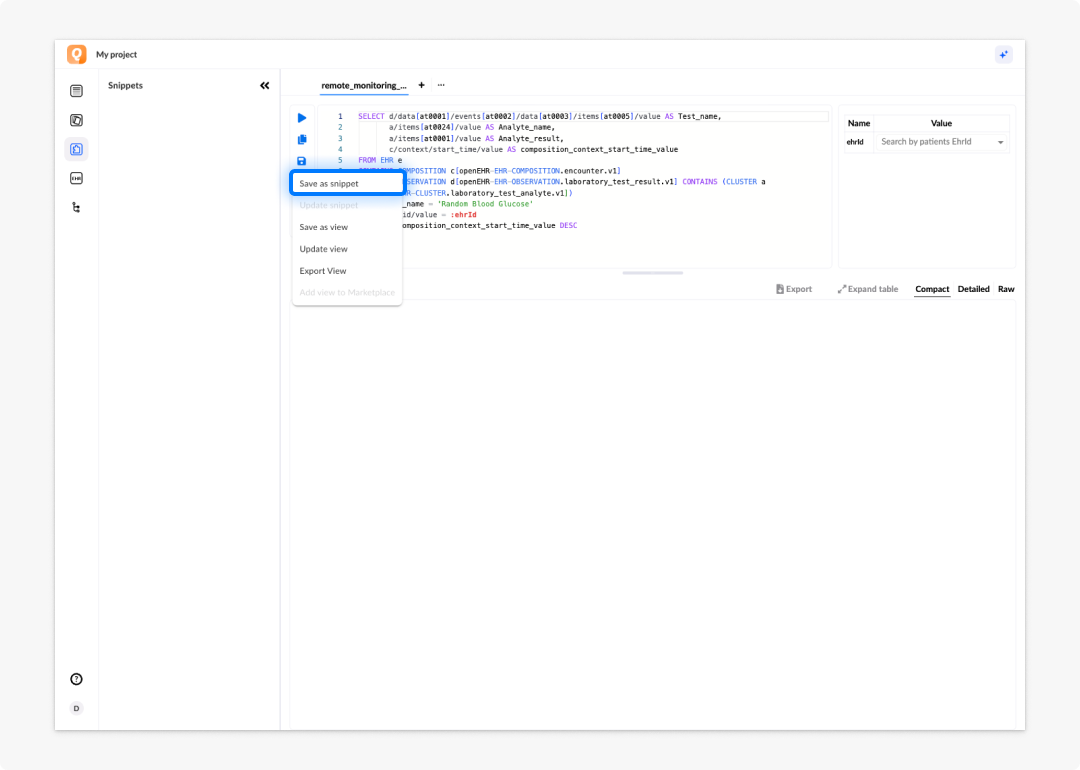
- Click Save in the toolbar.
- Select Save as snippet from the save menu options.
- Enter a name for the snippet.
Inserting a snippet
When you start writing a new query, the AQL builder recognises your snippet names and suggests them in the autocomplete. Select a suggestion to insert the snippet's code at the cursor position.
Updating a snippet
To update a snippet:
- Load or rewrite the snippet code in the query editor.
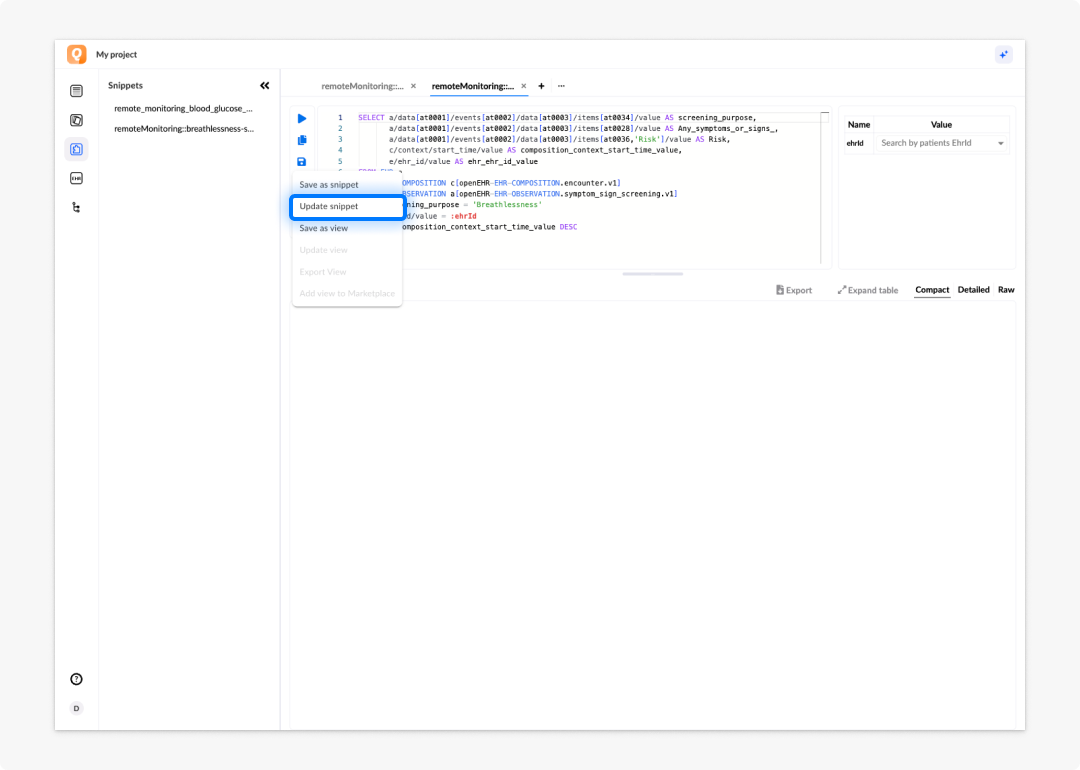
- Click Save in the toolbar.
- Select Update snippet from the save menu to overwrite the existing snippet.
Saving a partial snippet
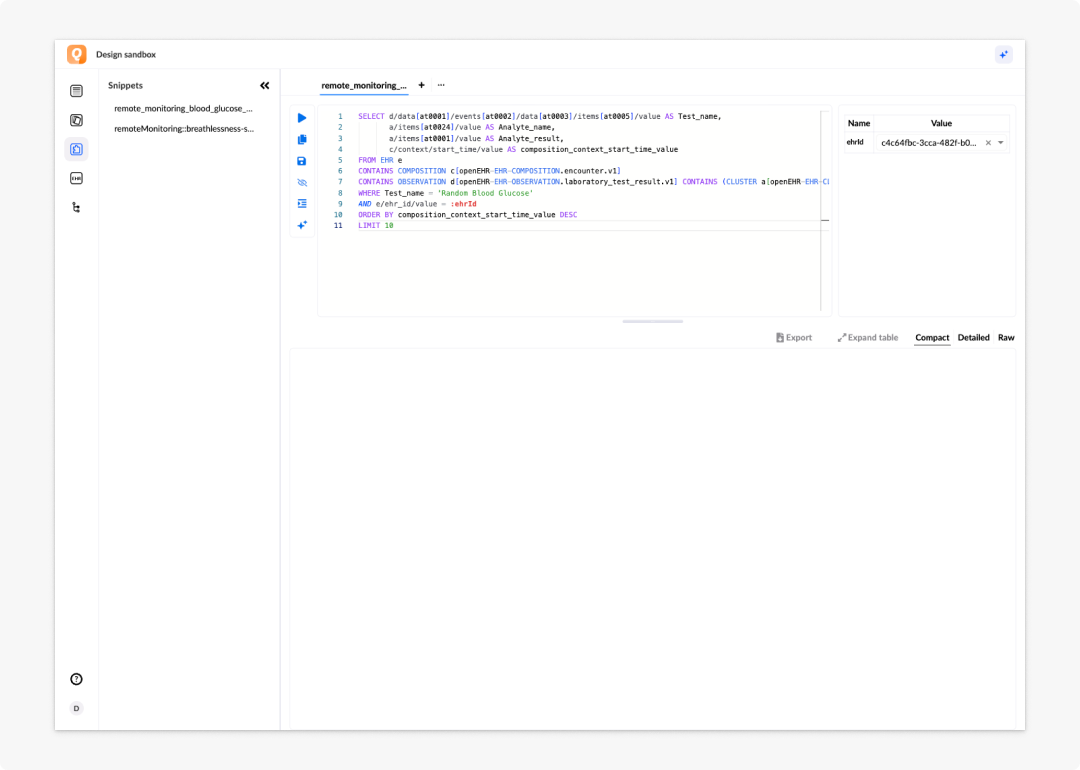
You can save any fragment of a query as a snippet, not just complete statements.
An example would be a saved LIMIT 10 limit clause as a snippet, that lets you append it to any query with a single selection rather than typing it each time.
Views
A view is a complete AQL query saved to the EHR server and exposed as an API endpoint. Once saved, the view can be called by name from a data connector or an external application, without the caller needing to send the full query text.
Use views for:
- Any query that will be used by a data connector to pre-populate or update form fields.
- Queries shared across multiple forms or applications in the project.
- Queries that need to be updated without redeploying the application that uses them.
Views are stored on the EHR server. Saving a query as a view makes it immediately available via the API.
Saving a query as a view
To save a query as a view:
- Write your AQL query in the query editor and test it to confirm it returns the correct results.
- If the query needs to accept dynamic values at runtime, such as an EHR ID or a date range, add parameters using the
:parameterNamenotation before saving. See the Refining queries with parameters section for more information. - Click Save in the toolbar.
- Select Save as view from the save menu options.
- Enter a name for the view. View names must be unique within the project.
- Confirm. The EHR server stores the view and exposes it via the API.
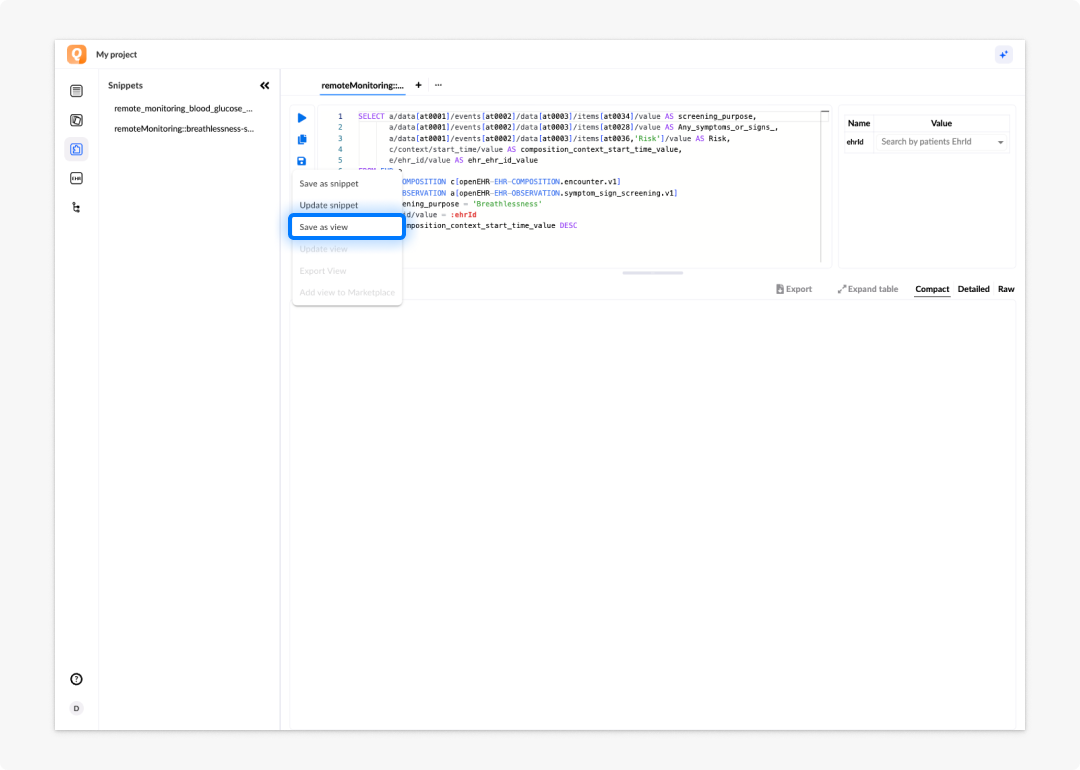
Once saved, the view appears in the Views section of the left panel. Select it at any time to load the query back into the query editor.
For managing, editing, and deleting saved views, including connecting them to a form via a data connector, see the Working with views section.
Snippets vs views at a glance
| Snippets | Views | |
|---|---|---|
| Stored | Locally in the AQL builder | On the EHR server |
| Purpose | Speed up query authoring | Expose queries as API endpoints |
| Shared | No; personal to your session | Yes; available to all data connectors and applications |
| Used by | You, during query writing | Data connectors, applications |
| Partial queries allowed | Yes | No; must be a complete, valid AQL query |
| Parameters | Not applicable | Supported via :parameterName notation |
Frequently asked questions (FAQs)
What is the difference between a snippet and a view?
A snippet is a reusable query or query fragment stored locally in the AQL builder — a personal authoring aid for speeding up query writing. A view is a complete AQL query saved to the EHR server and exposed as an API endpoint, used by data connectors and applications to fetch data.
Can I save just part of a query as a snippet?
Yes. You can save any portion of a query and insert it into future queries. For example: A LIMIT clause or a frequently used WHERE condition.
Are snippets available to other team members?
No. Snippets are stored locally and are personal to your session.
What happens when I save a query as a view?
The query is saved to the EHR server, which immediately exposes it as an API endpoint. You can then call the view by name from a data connector or external application.
Can I update a snippet after creating it?
Yes. Rewrite the snippet code in the editor, then choose Update snippet from the Save menu.
Do I need to add parameters before saving a query as a view?
Only if the query needs to accept dynamic values at runtime. Add parameters using :parameterName notation before saving. See the Refining queries with parameters section.